
Cave3D4.0.33 - Get APK
You'll be able to download in few seconds.
Publisher Description
IMPORTANT. The app on Google Play is outdated.
The latest Cave3D is on the website speleoapps.
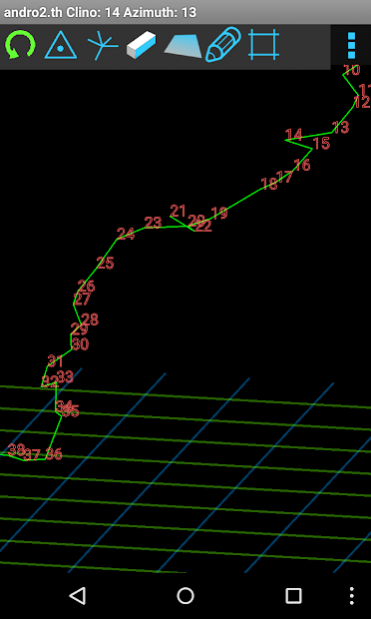
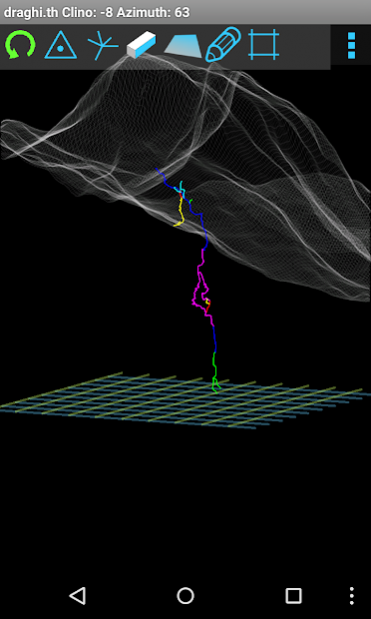
Cave3D is a 3D viewer that lets you see your cave survey while you are taking it, inside the cave, and analyze it in relation to a digital terrain model and other caves, on the spot.
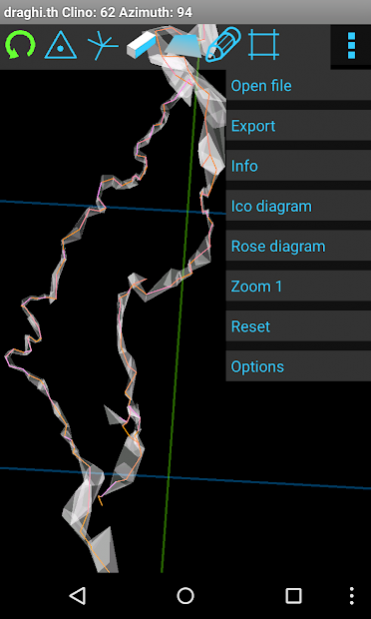
You can move, zoom, rotate the 3D view of the cave. 3d wall can be reconstructed from the splays. Surface DEM can be loaded from a ascii grid file, and surface textures from a geoTiff or OSM map.
It can display directions rose diagrams, and survey infos, and you can measure the distance between stations, their distance along the cave, and the depth below the surface (if there is DEM).
Model export formats: STL, CGAL, LAS, DXF, shapefile, and Gltf.
Surveys can be loaded also from Therion (as exported by TopoDroid), Loch (including DEM and texture), Compass, and VisualTopo files.
Translations: M. Guerrero (Spanish), A. Kozhenkov (Russian), R. Severo (Portuguese).
For the latest apks go to speleoapps.
About Cave3D
The company that develops Cave3D is marco.corvi. The latest version released by its developer is 4.0.33.
To install Cave3D on your Android device, just click the green Continue To App button above to start the installation process. The app is listed on our website since 2021-07-08 and was downloaded 0 times. We have already checked if the download link is safe, however for your own protection we recommend that you scan the downloaded app with your antivirus. Your antivirus may detect the Cave3D as malware as malware if the download link to com.topodroid.Cave3D is broken.
How to install Cave3D on your Android device:
- Click on the Continue To App button on our website. This will redirect you to Google Play.
- Once the Cave3D is shown in the Google Play listing of your Android device, you can start its download and installation. Tap on the Install button located below the search bar and to the right of the app icon.
- A pop-up window with the permissions required by Cave3D will be shown. Click on Accept to continue the process.
- Cave3D will be downloaded onto your device, displaying a progress. Once the download completes, the installation will start and you'll get a notification after the installation is finished.
Program Details
System requirements
Download information
Pricing
Version History
version 4.0.33
posted on 2021-07-08
updated to TopoDroid DB version
version 4.0.32
posted on 2021-03-13
Bug fixes
version 4.0.26
posted on 2020-09-25
Bug fixes and test to prevent OOM
version 4.0.24
posted on 2020-08-30
GPS point on surface - require FINE LOCATION permission.
Minor bug fixes.
version 4.0.19
posted on 2020-08-30
Fix for 3d file input
version 4.0.17
posted on 2020-07-03
Bug fix geotiff texture
version
posted on 2020-06-09
Updated russian translation
version
posted on 2020-06-02
Removed outdated translations, until they are aligned to the new version.
Fix error with DEM for surveys without converted coordinates.
Update help.
version
posted on 2020-05-24
Fixed another crash.
Translation update
version
posted on 2020-05-22
Fixed a crash.
Translation update
Disclaimer
External Download
We do not host Cave3D on our servers. We did not scan it for viruses, adware, spyware or other type of malware. This app is hosted by Galad and passed their terms and conditions to be listed there. We recommend caution when installing it.
The APK Download link for Cave3D is provided to you by apps112.com without any warranties, representations or guarantees of any kind, so access it at your own risk.
If you have questions regarding this particular app contact the publisher directly. For questions about the functionalities of apps112.com contact us.
